
Overview
This article explains how the Daily Basic tip split works in JustTip, and how it can be combined with categories to split tips between different staff groups.
- How the split works
- Example roster screen
- Using categories (FOH / BOH)
- Each day, the total tips collected are shared equally between every staff member who worked that day — regardless of how many hours they worked.
- This equal split is calculated separately for each day of the roster week, Monday to Sunday.
- The daily amounts for each staff member are added together to give their total for the week.
- The week's totals are paid out to staff on the Wednesday following the roster week.
On the Daily Basic tab of the Team Roster page, you mark which days each staff member worked. Hours aren't needed for this split, since everyone who worked on a given day receives an equal share of that day's tips.
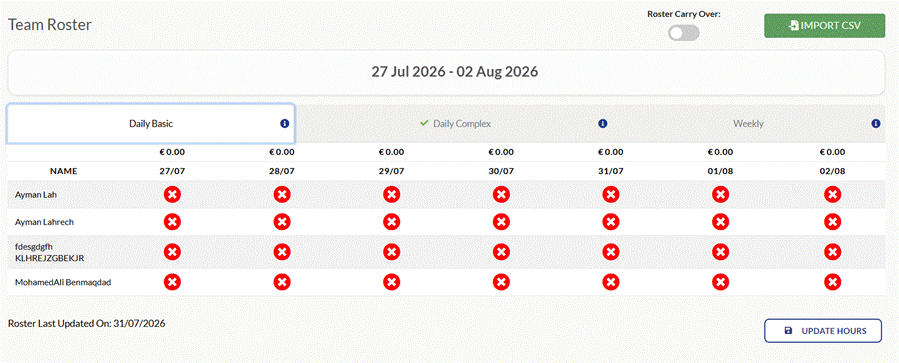
Team Roster — Daily Basic tab
Categories can be switched on for Daily Basic the same way as for the other roster types. Staff are grouped into specified categories — most commonly Front of House (FOH) and Back of House (BOH) — and a percentage of the total tip pot is allocated to each category.
This effectively creates a separate tip pot for each category. The Daily Basic split rules described above are then applied independently within each category's pot, so FOH staff share the FOH pot and BOH staff share the BOH pot, each according to the same Daily Basic logic.